Features

Everything Money Kick does

An Android app that takes the typing out of money tracking. Here is what it does today.

Add anything fast

Tap + or just say it

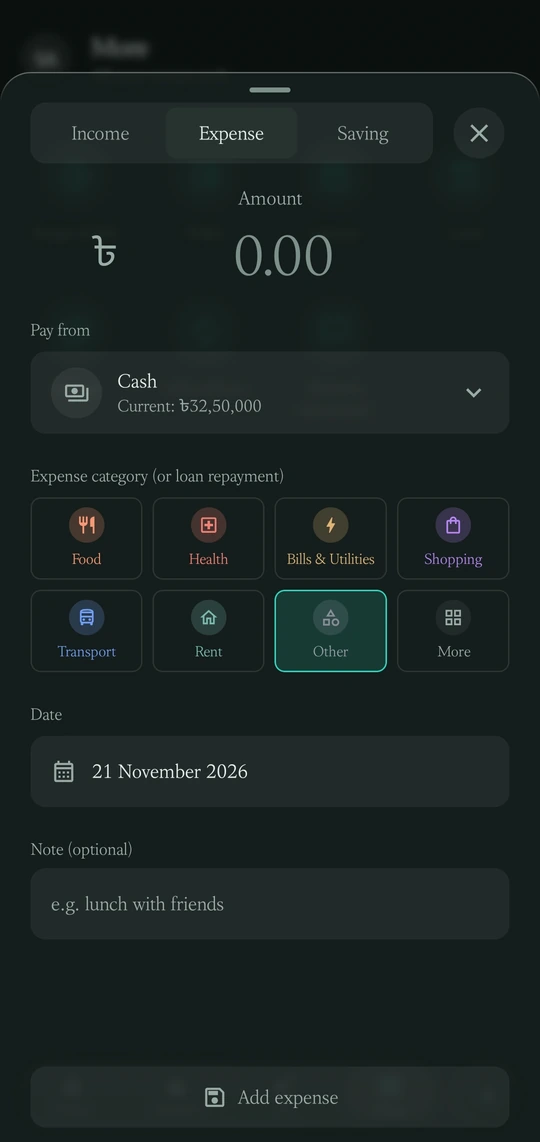
Add an expense, income, saving or transfer in a few taps. Or tap the mic and say “lunch 12, taxi 8”: Money Kick adds both, each with a category.

  • Several entries in one sentence, in English or Bangla
  • No audio is kept; only the text is used
  • Undo or edit anything it adds
Money Kick add-expense sheet with amount, account and category

Kick, your AI assistant

Ask Kick where your money went

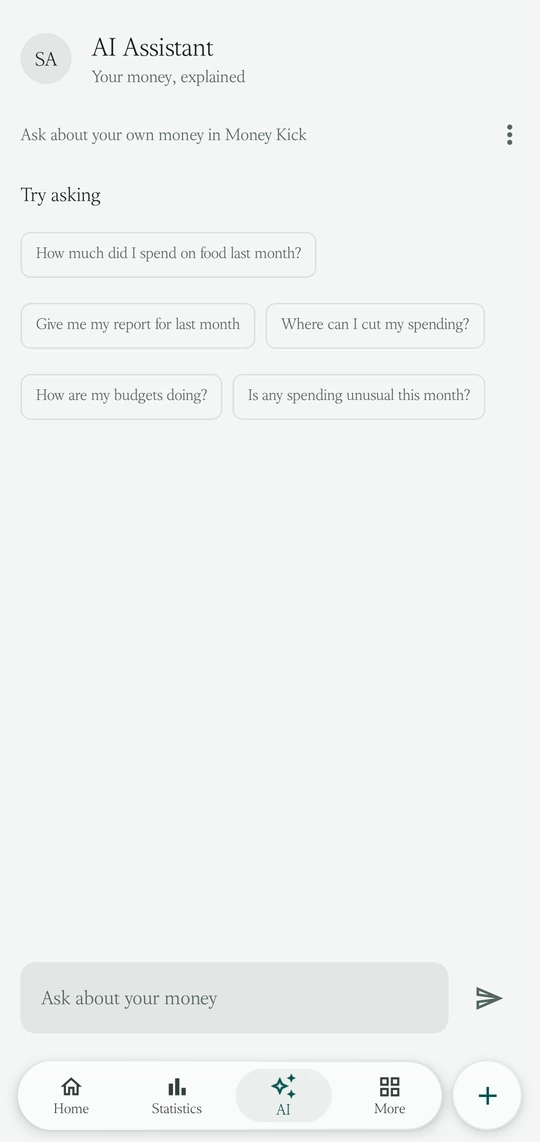
Ask about your spending, budgets, loans and savings in plain words. Kick answers from your own entries, and every number is checked before you see it.

  • “How much did I spend on food last month?”
  • Your notes, people's names and SMS are never sent
  • The Kick chat is part of Kick Premium
Money Kick assistant screen with suggested questions

Statistics

See your whole month at a glance

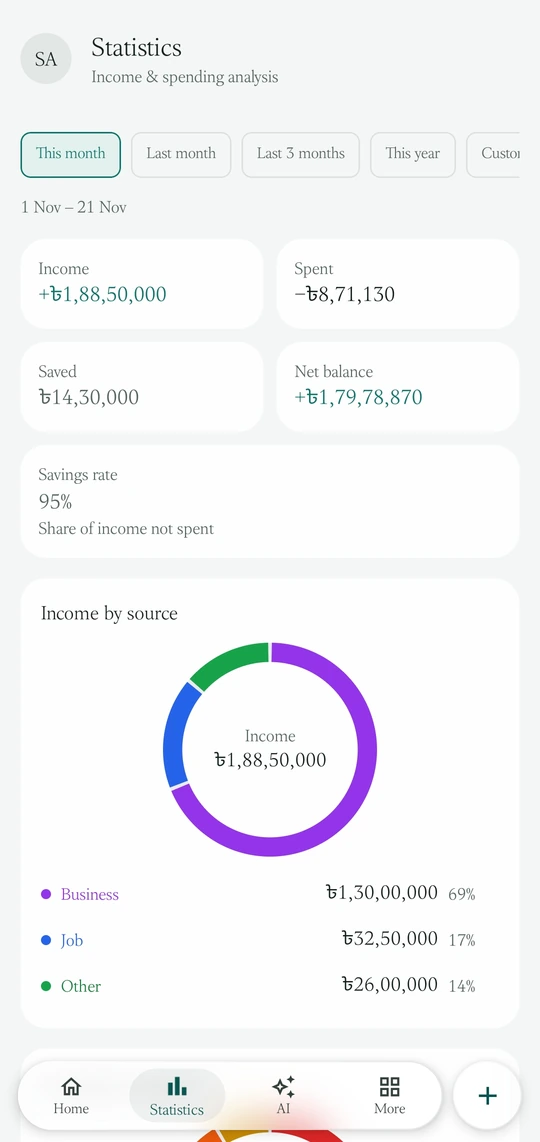
Pick this month, last month, the last 3 months, this year or your own dates, and compare with the period before.

  • Money flow from income to spending
  • Daily spending, trends and spending by category
  • Income by source and your savings rate
Money Kick Statistics screen with income, spending and savings rate

The app screens here show amounts in taka. Money Kick works the same in US dollars.

Everything else

All of this is in the free app

No paywall on the basics: budgets, bills, loans, savings and reports are free.

  • Budgets & alerts

    Set a monthly limit per category or for the whole month. You get a warning at 80% and an alert when you go over.

  • Bills & recurring entries

    Keep bills in order of due date with a reminder 24 hours ahead. Monthly entries like rent can add themselves.

  • Lend & borrow

    Track who owes you and whom you owe, with partial payments, due dates and a settled status.

  • Savings plans

    Track recurring and fixed deposits or your own savings target, with an estimated maturity once you add the rate.

  • Subscriptions

    See every subscription, its next charge and what they cost each month, with a reminder before each one.

  • Wallets & transfers

    Cash, bank and mobile wallets, each with its own balance, and transfers between them.

  • Reports & backup

    Weekly and monthly PDF reports, a month exported to Google Sheets, and a backup in your own Google Drive.

  • Bank SMS reading

    Turn it on and supported bank and wallet messages become entries. Supported today: bKash, City Bank and Islami Bank in Bangladesh.

The details

Built to fit how you already pay

  • English and বাংলা

    Switch the whole app between English and Bangla. In Bangla, amounts are written in Bengali digits, and you can type numbers with either set of digits.

  • US dollar or taka

    Choose USD or BDT as the app's currency. When you switch, Money Kick can convert every stored amount at the rate you set, or just change the symbol.

  • Reminders and a widget

    Notifications for bills, loans, installments, subscriptions and budgets, plus a home-screen widget with Voice, Expense, Income and Transfer buttons.

  • Private by default

    Entries stay on your phone. Signing in is optional, and data leaves the phone only for features you turn on.

Get the app

Your money,
sorted on
your phone

Money Kick is coming to Google Play. Free, with no ads; Kick Premium is optional at ৳149 a month.

Coming soon toGoogle PlayGet notifiedBy email
On AndroidFree · No ads
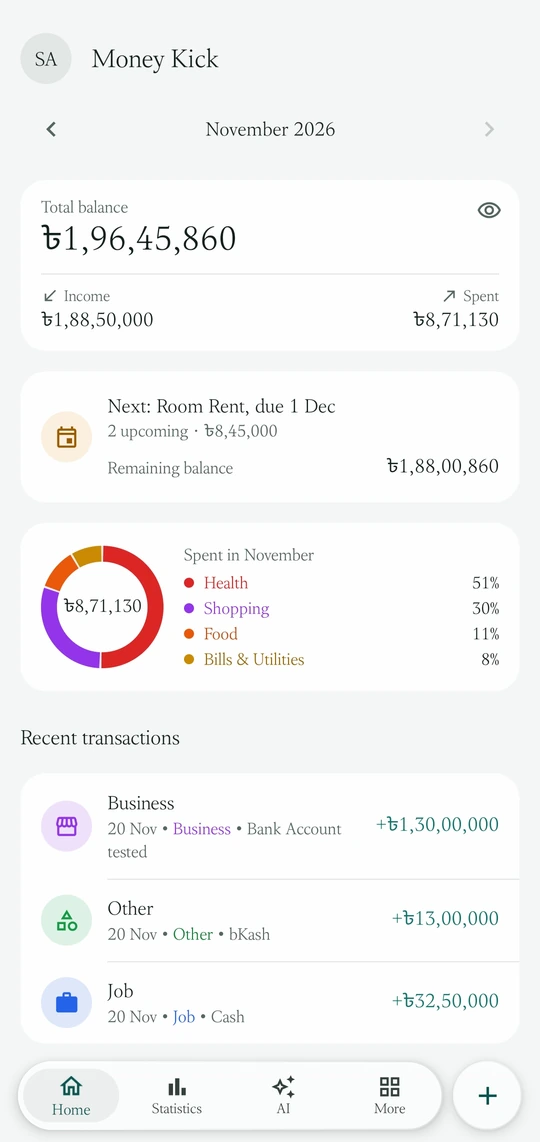
Money Kick Home screen
Food budget80%
৳4,000 of ৳5,000
Warns at 80%, alerts when over